


This website contains age-restricted products. You must be 21 years of age or older to enter.
Additional age verification may be required at purchase or delivery. Privacy policy

 WARNING: This product can expose you to chemicals including nicotine, which is known to the State of California to cause cancer. For more information, go to www.P65Warnings.ca.gov
Update your cartridges to the pinnacle of ferocity with our Wulf Mods Flat Mini 2.0 Variable Voltage Battery. Compatible with cartridges of any and all sizes, the Flat Mini 2.0 offers a versatile freestanding launch pad for all of your sessions on the go and on the couch.


Making it all possible is the Flat Mini 2.0’s souped up 400mAh battery offering incrementally voltage adjustment all the way from 1.8 - 4.2v complete with dedicated + - buttons on the side. This lets you dial things juuuust how you like them, enjoying the highest highs and lowest lows of heating with a degree of precision other batteries just cannot provide.

Keep track of your puff count, battery level, and voltage setting easily thanks to the Wulf Mods Flat Mini 2.0 featuring a small screen packed with information. With a long lasting battery, fast USB-C charging, and small portable size - the Flat Mini 2.0 is just the all day session companion your Wulf Pack has been looking for.
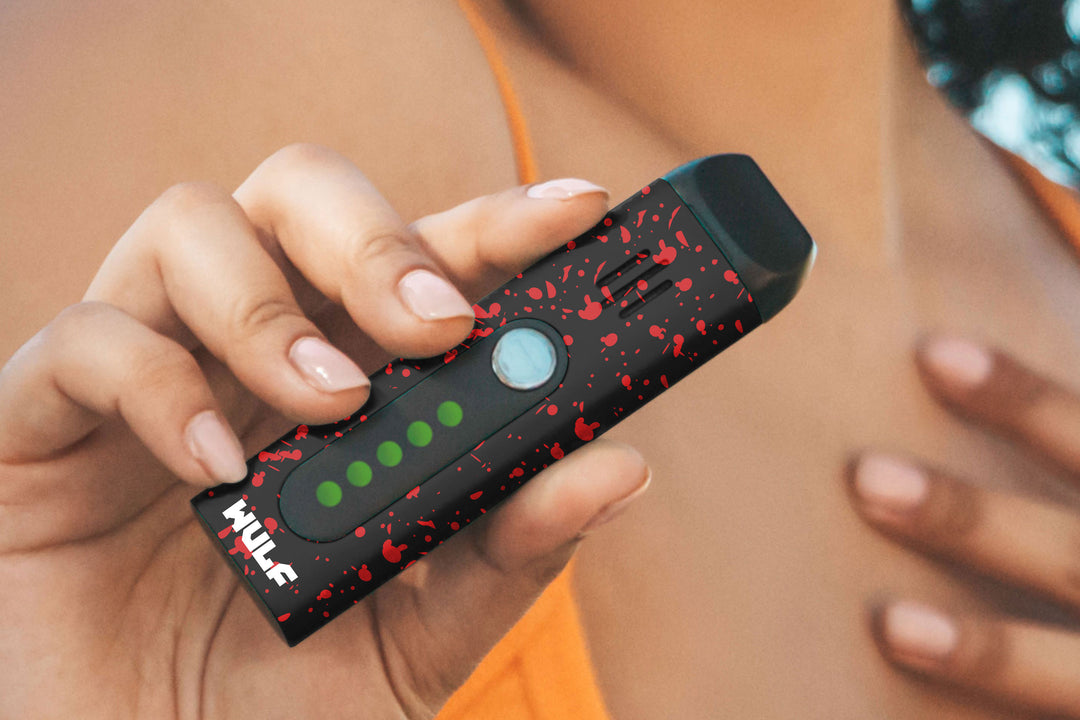
Start your journey and check out the 9 different Wulf Mods Flat Mini 2.0 Variable Voltage Battery colors including favorites like black-red spatter, white-red spatter, shiny full-color and more!

Take the first steps with your Wulf Mods Flat Mini 2.0 by first selecting which of your 510 threaded cartridges you want to use. With the Flat Mini 2.0 being compatible cartridges of any size, feel free to go as big as you want!
To load your Wulf Mods Flat Mini 2.0 gently twist your cartridge into the 510 threaded connection until the two are snugly against each other. Now your cartridge is connected to the Wulf Mods Flat Mini 2.0 and you're ready to move on!


To use the Wulf Mods Flat Mini 2.0 press the power button 5x in a row to power up the battery into on mode, when successfully input your screen will display a Wulf logo and then show your current voltage setting / battery % level.
Once on, you can hold down the power button on your Wulf Mods Flat Mini 2.0 and draw from the mouthpiece of your cartridge to enjoy immediate cloud access. When done, just release the power button and your device will return to stand by mode.
To power off the Wulf Mods Flat Mini 2.0 press the power button 5x in a row. When correctly input you’ll see a tiny “Take Care” message from the Wulf Mods Team to you!
To adjust the voltage on the Wulf Mods Flat Mini 2.0 use the + - buttons located on the side of the device. Each click will bring the voltage up or down by .1 in order to make switching between the full range of 1.8 - 4.2v easy and efficient.
To pre-heat cartridges on the Wulf Mods Flat Mini 2.0 press the power button 2x in a row, when successfully input this will begin the 10 second cycle where your battery slowly warms your cartridge.
Once the 10s time is done, you can hit your Wulf Mods Flat Mini 2.0 as normal but with the added benefit of the pre-heat massively increasing the overall intensity of your resulting hit.
The pre-heat setting is a great tool to utilize when you're running low on time and really need to make your puffs count to the fullest, as well as when you're attempting to test out just how potent your cartridges can get.

To reset the puff counter on your Wulf Mods Flat Mini 2.0 hold down the power button and - button at the same time for a few seconds. When correctly input, your puff counter will reset to zero.
Note - once reset, there is no way to retrieve past puff counts, so always make sure you're ready for the complete wipe because there is no going back.

To charge the Wulf Mods Flat Mini 2.0 make use of the USB-C port located on the side of the device. When plugged in the screen of your Flat Mini 2.0 battery icon will flash to indicate its current level.
The first time you charge your Wulf Mods Flat Mini 2.0 leave it plugged in for 2 hours, every time after that never charge your battery for longer than 1 hour at a time.
To get the best out of your Wulf Mods Flat Mini 2.0 it’s important to be aware of the following troubleshooting warnings that can appear during your sessions.
Keep these in mind while using your Wulf Mods Flat Mini 2.0 and enjoy the smoothest of sessions without a hitch.

To clean your Wulf Mods Flat Mini 2.0 first power off the device by pressing the power button 5x in a row. You never want to clean your device while it's still on, as this can lead to potential damage to your battery.
Once off, take a q-tip dampened with isopropyl alcohol and take your time cleaning off the 510 threaded pot on your device. Make sure that any oils are removed and the connection 100% clean before leaving your device to dry until all moisture has evaporated.
What’s Included:
WARNING: Do not charge with a powerbank of 5V or higher. Do not charge in your car. Do not overcharge. Failure to follow these instructions could result in battery damage and frying of the internal system.